
Choosing the best app to unblur photos

The best app to unblur photos is the one that returns your image at full resolution, without a watermark, in a single tap. Most of the apps in the App Store fail on at least one of those three, so check the export before you invest time in editing.
Check the export before anything else
Plenty of apps produce a genuinely good result on screen and then hand you an 800-pixel file with a logo across the corner. If you plan to print the photo or send it to family, that result is useless no matter how sharp the preview looked.
Test any app the same way. Enhance one photo, save it, then open the saved file and check its dimensions. An app that exports smaller than the file you fed it has quietly downgraded your photo in exchange for a better preview.
One tap beats twelve sliders
Photo apps love a control panel. Sharpening radius, denoise strength, clarity, texture, structure. For a professional retoucher those controls are the job. For someone with a blurry photo of their grandfather, they are twelve chances to make it worse.
An app that decides for you and shows you the result is faster and usually better, as long as it lets you compare against the original before saving. That comparison is the safety net that makes automation acceptable.
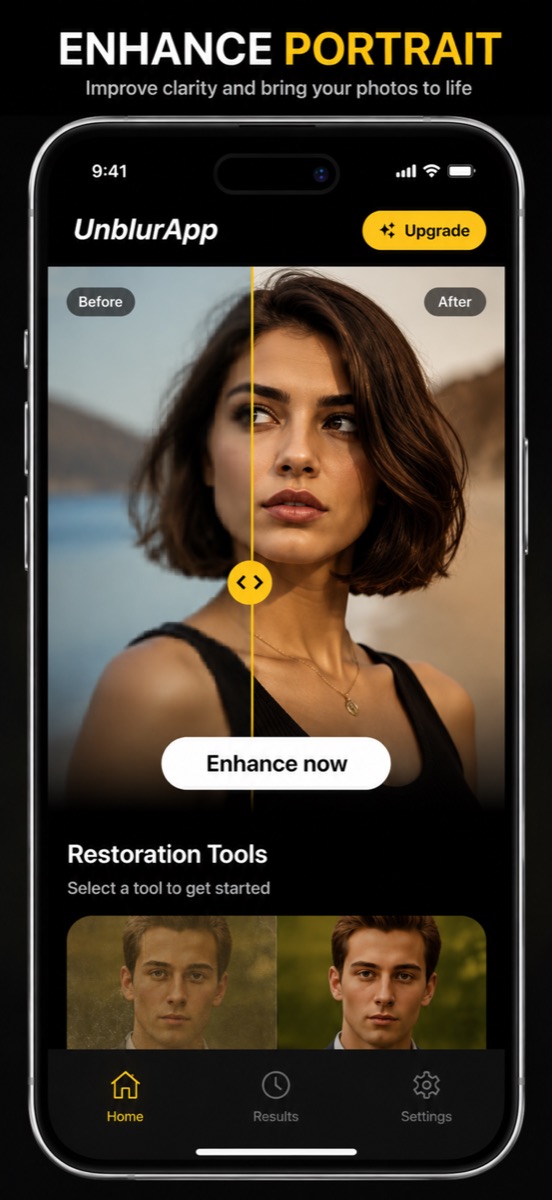
Separate tools for separate problems
Blur, pixelation, physical damage and missing colour are four different problems, and a single Enhance button that claims to fix all of them tends to do a mediocre job on each. Apps that split them into distinct tools give the model a narrower task and a better result.
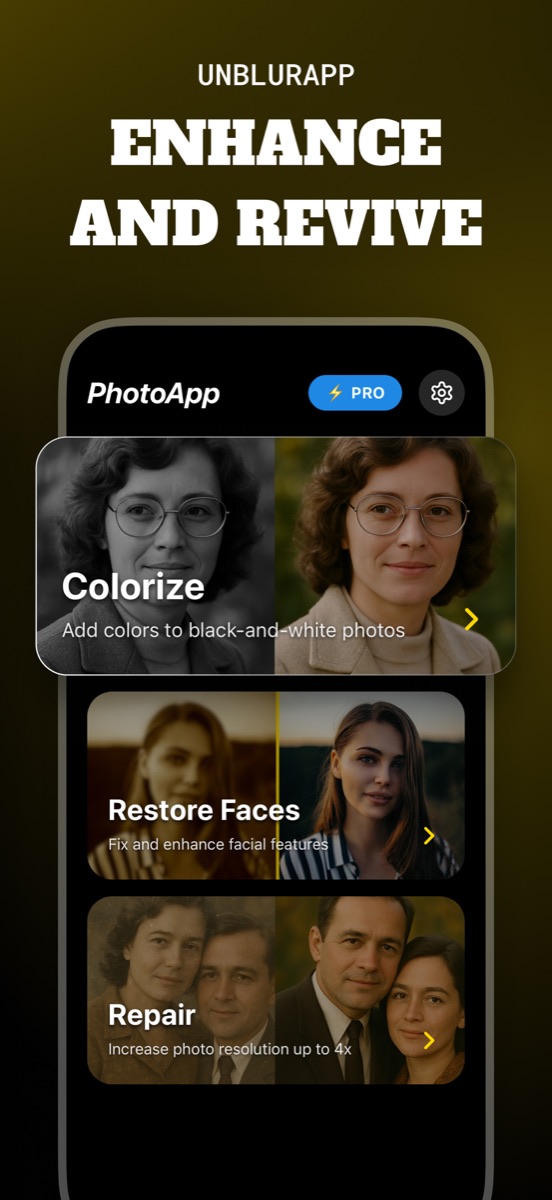
UnblurApp splits its work into Colorize, Restore Faces and Repair alongside the general enhance, which is why a torn print and an out-of-focus portrait take different paths through the app.
What the pricing usually looks like
Almost every app in this category is free to download with a subscription behind the useful part. That is a reasonable model, since each enhancement costs the developer real compute. What matters is whether you can see a result before you pay, and whether cancelling takes one tap in App Store settings or an email exchange.
Be careful with weekly subscriptions priced to look small. A photo restoration app you will use for one afternoon of family scans is not worth an ongoing weekly charge you forget about. Set a calendar reminder the day you subscribe.
Check what your phone already does
Before installing anything, look at the gallery app you already have. Samsung Gallery includes Remaster picture, and Google Photos offers Unblur on Pixel handsets and to Google One subscribers. On iPhone the Photos editor has sharpening but no AI deblur, so there is less to fall back on.
These built-in options are free and handle recent phone photos well. They struggle with old scans, damaged prints and heavily compressed images, which is the gap a dedicated app fills. Trying the free option first costs a minute and sometimes ends the job.
Spend thirty seconds on the privacy page
Cloud enhancement means your photo travels to a server. For a holiday snapshot that is fine. For a photo of a document, a child, or anything you would not post publicly, read what the app says it does with uploads and how long it keeps them.
No enhancer runs entirely on-device today at the quality these models reach, so the honest question is not whether your photo leaves the phone but what happens to it after it does.
Questions people also ask
Are free photo unblur apps any good?
The processing quality is often fine. The limits usually show up at export, in the form of watermarks, reduced resolution, or a daily cap. Try one photo end to end before deciding.
Do photo unblur apps work offline?
It varies by app and by platform, since some run the model on the device and others send the image to a server. Check the store listing rather than assuming, particularly if you care where your photographs travel.
Related guides

Free online photo restoration, honestly assessed
Old photo restoration online free: how the free tiers work, where the catch usually is, and how to get a full-resolution result without paying for a bad one.
Read the guide →
How to unblur a photo on your iPhone
Unblur a photo in three taps. What causes blur, which blurry pictures can actually be saved, and how to remove blur from a photo on iPhone.
Read the guide →
How to unpixelate an image
Pixelated image fix that actually works: why sharpening makes it worse, how AI upscaling rebuilds detail at 4x, and where it stops working.
Read the guide →