
How to unpixelate an image
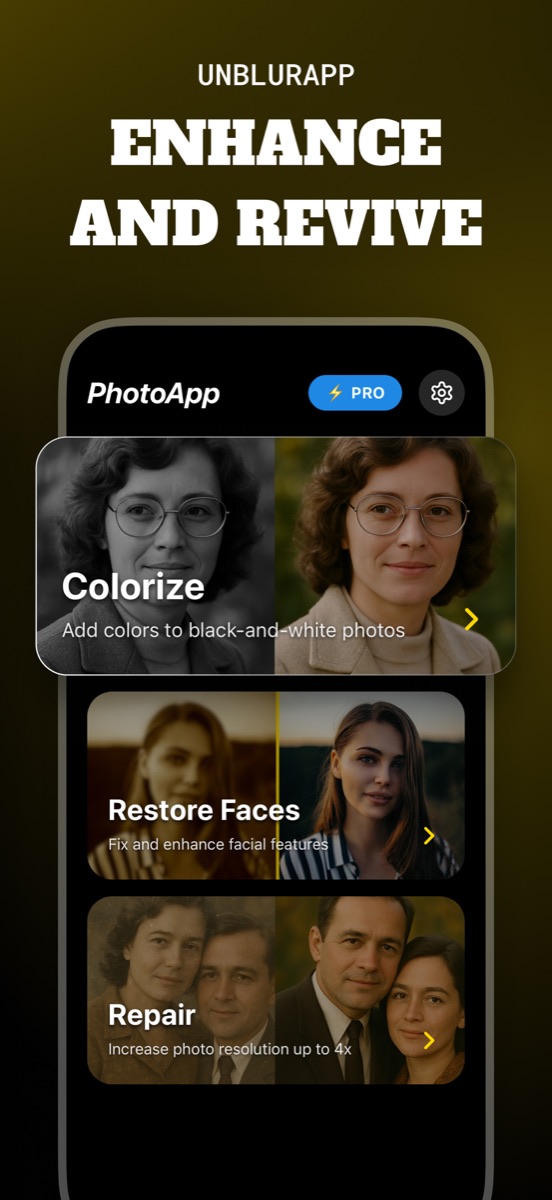
To unpixelate an image, upscale it with AI instead of sharpening it. Sharpening only hardens the blocks that are already there. An upscaler generates new pixels at up to 4x and reconstructs the shapes those blocks were standing in for.
Pixelation is a different problem from blur
A blurry photo contains the detail, badly distributed. A pixelated photo does not contain it at all: the file was saved at a size too small to hold it, and the encoder averaged whole regions into single squares. That difference decides which tool works.
Sharpening filters assume there is an edge in there somewhere to find. Applied to pixelation, they find the boundaries between blocks and make those crisper, which is why a sharpened pixelated image looks like a stained-glass window.
Upscaling generates what compression removed
An AI upscaler works differently. It has seen enough images to know what a human eye, a brick wall and a car headlight look like at high resolution, so given a low-resolution version it produces a plausible high-resolution one. UnblurApp does this at up to 4x, so a 500-pixel image comes back at 2000.
The word doing the work in that sentence is plausible. The tool is not recovering the original pixels. It is proposing detail consistent with what it sees, which is exactly what you want for a family photo and exactly what you must not rely on for anything forensic.
Where pixelated images usually come from
Messaging apps are the biggest source. A photo sent through several chats gets recompressed at each hop, and each pass discards a little more. By the fourth forward, a picture that started at 12 megapixels is a few hundred kilobytes of approximation.
The others are old web downloads sized for a 2006 monitor, screenshots taken on a small display and then enlarged, and profile pictures pulled from a social network at thumbnail size. All of them respond to upscaling because the subject is still recognisable, even if the detail has gone.
The cases nothing will fix
Deliberate pixelation, the kind applied to blur a licence plate or a face in a news photo, is designed to destroy information. Every video-drama enhance scene you have watched is fiction. If a plate has been reduced to eight grey squares, the number is gone, and any tool producing a legible result has invented one.
The same applies to heavily censored regions in leaked documents. A model can generate text-shaped marks there, and they will be wrong.
Get the best input you can find first
Before you upscale, spend two minutes looking for a better copy. The version in the original chat thread is usually less compressed than the one someone forwarded to you. A photo saved from a website may exist at full size behind the thumbnail. An email attachment often kept the original where the messaging app did not.
Ten seconds of searching beats any amount of processing, because a better source gives the model more to work with.
Questions people also ask
Can you unpixelate an image for free?
UnblurApp is free to download and lets you try the upscaler. Free web tools also exist, though most cap the output resolution, which defeats the point of upscaling.
How much can you upscale before it looks wrong?
Up to about 4x holds together well on most photos. Beyond that the model is guessing more than it is reconstructing, and faces in particular start to look synthetic.
Related guides
How to unblur a photo on your iPhone
Unblur a photo in three taps. What causes blur, which blurry pictures can actually be saved, and how to remove blur from a photo on iPhone.
Read the guide →
How to deblur text in an image
Deblur text in a photo of a whiteboard, receipt, sign or document. What works, what the letter-shape test tells you, and how to capture better next time.
Read the guide →
Choosing the best app to unblur photos
Choosing an app to unblur pictures? Here are the five things that separate a useful photo unblur app from a watermark factory, and how UnblurApp compares.
Read the guide →