
Restore faces in a photo
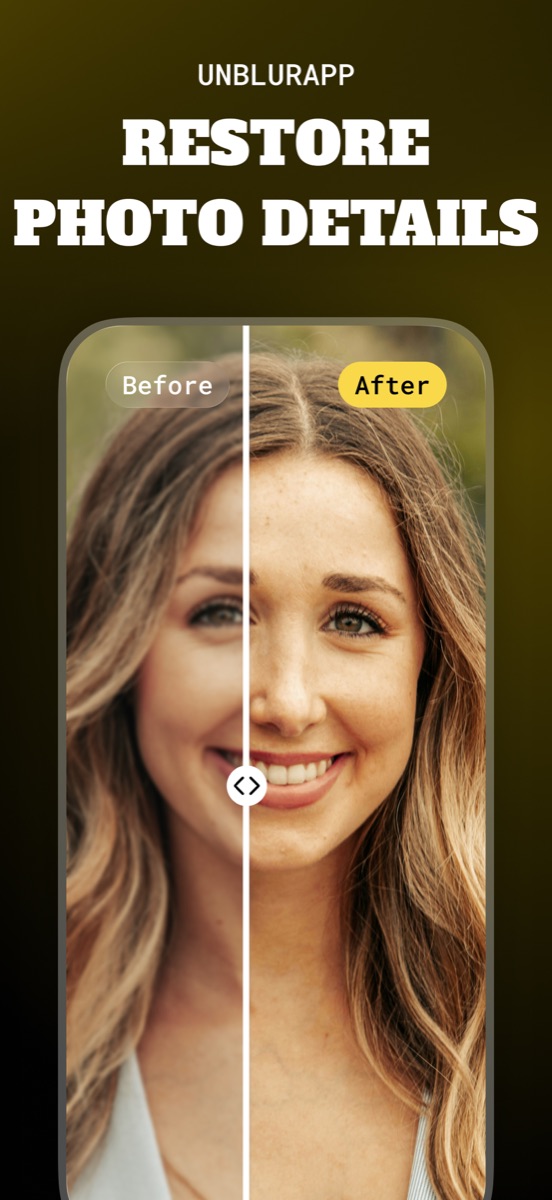
A model built for facial structure, applied to every face in the frame separately.
What this tool does
General sharpening has no idea which smudges are eyelashes and which are noise, which is where the waxy, over-processed look comes from. The face model knows an eye contains a pupil, an iris and a catchlight, so given a smudge where an eye should be it rebuilds an eye.
Good for
- Old class photographs where each face is tiny
- Group shots taken indoors at a distance
- Soft portraits where the eyes lost definition
Where it stops working
A face below roughly twenty pixels across is invented rather than restored. Check the eyes at full zoom before sharing: matched, glassy eyes are the sign the model over-reached.
Common situations
Questions about face unblur
Does it work on several people at once?
Yes. Each face in the frame is detected and processed separately, which is why group photos work well.
Will it still look like the same person?
Where the photo holds real facial detail, yes. Where a face has degraded past recognition, the result is a plausible person who may be subtly wrong.
Read the full guide
How to unblur a face in a photo covers the method in detail, including the cases where this tool is the wrong choice.